


Play971 Login and Registration

Most problems with a Play971 account start with a small slip at sign-up or login, not with the platform itself. So instead of repeating the obvious steps, this guide walks through each stage alongside the mistakes people make most often, and how to avoid them. The rules behind it all come from the GCGRA licence. You need to be at least 21, physically in the UAE with location on, and verified with an Emirates ID.
How to Create an Account
The form wants four things and a pair of photos. An inbox, a phone number, a password and a tick for age and whereabouts, followed by both faces of your ID card. Approval switches the cashier on. Your balance starts at nothing.
Where do things go wrong? Usually in one of these places.
| Common mistake | What happens | Do this instead |
| Using an email you rarely check | Reset and account messages go unseen | Register with the inbox you read daily |
| Entering a number you’re about to change | Recovery becomes harder later | Use the number you plan to keep |
| Recycling a password from another site | A leak elsewhere exposes this account | Create a new password just for Play971 |
| Uploading a passport or driving licence | The upload can’t be accepted | Use your Emirates ID, the only document allowed |
| Submitting dark or cropped ID photos | The review asks you to try again | Photograph the full card on a plain surface |
| Registering with location switched off | The process stalls | Turn location on before you start |
A tidy form isn’t always enough. The operator’s own people and their families are refused, and so is anyone resident in a sanctioned state. Visitors appear in the eligibility wording, yet the ID card is the only document accepted. A guest without one should ask support before paying anything in.
How to Log In
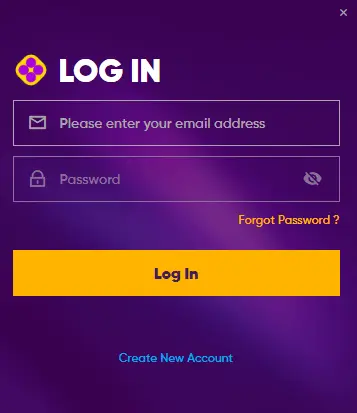
Getting back in needs the identifier you signed up with, inbox or number, and then the password. One more hurdle follows automatically. The platform checks where the device is before it lets you through.
A handful of habits cause most failed logins:
- Typing a slightly different email from the one you registered, such as a work address instead of a personal one
- A location toggle that’s off, or set to approximate rather than precise
- Using a VPN that makes your connection appear to come from another country
- Trying repeatedly after a failure, instead of stopping to check the cause
- Letting a shared browser autofill someone else’s saved details
If the login works on one device but not another, compare their location settings first. That difference explains the problem far more often than the password does.
Password Recovery and Account Access
Password gone from memory? The sign-in page carries a recovery link, and instructions arrive at whichever inbox or phone the account holds. People trip up here in familiar ways:
- Requesting several resets in a row, which can cancel the earlier messages
- Looking only in the main inbox, when the message has landed in junk
- Entering a different email address from the one on file
- Resetting the password to fix something that isn’t a password problem
The final point trips up more people than you’d think. A break you imposed on yourself, an exclusion or an unfinished ID review all block entry, and a fresh password leaves each of them exactly where it was. Ask support which one you’re facing. Lost the inbox or number the account is tied to? Go straight to support too, and expect them to confirm who you are first.

Verification and Account Security
Paperwork happens one time. The ID review at sign-up is the whole of it in the normal course of things, and the operator only comes back with questions when something unusual shows up in how the account is used.
Keeping the account secure afterwards is mostly about avoiding a few risky moves:
| Risky move | Why it’s a problem | Safer choice |
| Opening Play971 from links in messages | The link may lead to a copy of the site | Type the address or use your own bookmark |
| Reading a one-time code aloud to a caller | Genuine support never needs it | Hang up and contact support yourself |
| Staying signed in on a shared device | Anyone using it can reach your balance | Log out after every session |
| Ignoring a login alert or unexpected reset email | Someone may be trying to get in | Change your password and tell support |
Play971 runs no promotions, so any message offering a Play971 bonus in exchange for your login details is a scam by definition.

Mobile Login and Support
On a phone, logging in works through the browser, Chrome on Android or Safari on iPhone, or through a home screen icon created from either. There’s no app in any store and no APK. Location must be allowed for the browser, ideally with precise location on.
A short checklist before tapping the icon saves most failed attempts:
- Precise location granted to the browser
- No VPN running
- The icon was pinned from the real address
- Your password manager holds the current password, not an old one
Let the phone’s built-in vault guard that password and release it only to your fingerprint or face. A long, random string stops being a chore that way.
Stuck beyond that? A chat agent or the email team will take it on, day or night, in Arabic or English. Recovery that didn’t work, an ID review that seems frozen, or a question about limits and breaks are all fair reasons to write.
Only those aged 21 or older, present in the Emirates, can hold an account. Put a spending cap in place on your first visit. Walk away when it stops being fun.