


Play971 App Download UAE

Searches for a Play971 app download spike every evening, usually from people who’ve heard about the UAE’s first licensed casino and sportsbook and want it on their phone. Fair enough. The catch is that the answer isn’t a file. Play971 doesn’t publish a native app in the App Store or on Google Play, and it doesn’t distribute an installer for Android either. What it offers is a web app, the full platform running in your phone’s browser, which you can pin to the home screen so it opens with one tap like anything else you’ve installed.
That arrangement surprises people, so this page takes it slowly. It explains what exists and what doesn’t, how to set Play971 up on Android and on iPhone, what to check before trusting anything that calls itself a Play971 APK, and how betting and casino play feel on a small screen. It also covers logging in, security and the handful of problems that crop up most.
| If you searched for… | What you’ll actually find |
| Play971 app download | A web app you pin from your browser |
| Play971 APK | Nothing official, only third-party files to avoid |
| Play971 betting app | The sportsbook inside that same web app |
| Play971 iPhone app | An icon made in Safari, since Apple’s store has none |
| Play971 Android app | An icon made in Chrome, since Google’s store has none |
How to Access the Play971 App in UAE
Before any phone settings come into it, three conditions decide whether any of this will work for you at all. They come from the platform’s GCGRA licence, and there’s no way around them.
- You’re 21 or older
- Your phone can show you’re within UAE borders each time you sign in
- Your Emirates ID card is ready for review, as no substitute document works
Meet those, and access boils down to opening the site in a mobile browser, signing in, and deciding whether to pin it. The pinned version is what most people mean by the app. It uses the same account, the same dirham balance and the same games as the desktop site, because it is the same site.
It’s worth understanding why the operator went this way instead of building a store app. A web app is delivered directly from the operator’s servers every time you open it, so everyone runs the current version and nobody can slip a modified copy into circulation. It also sidesteps app store policies, which vary by country, and keeps the platform’s own location and identity checks in one place. For you, the practical result is simple. Nothing to download, nothing to update, and no file on your phone that could be tampered with.
Which phones can run it? Any reasonably recent Android handset or iPhone with an up-to-date browser will do. The platform leans on modern web features, so a phone that no longer receives system or browser updates may struggle with live video or refuse to pin the site properly. If yours is that old, a laptop browser is the better option, and the same account works there too.
Play971 App for Android
Chrome is home base on Android. Plenty of other browsers will load the site, yet across the enormous spread of handsets sold here, from flagship Samsungs to budget Xiaomis, Chrome deals with location prompts and pinned icons with the fewest surprises.
Once pinned, the icon sits among your other apps and opens Play971 without Chrome’s address bar or tabs. It stays signed in between visits unless you log out or clear Chrome’s data, and it respects the same permission you gave Chrome for location. From the user’s point of view, it behaves almost exactly like a native app. The differences only show up behind the scenes, where there’s no installation package, no Play Store entry and no update button.
One Android habit is worth adopting early. Keep precise location enabled for Chrome, because approximate location can fail the platform’s check even when you’re sitting in the middle of Dubai.
Games Play971






Play971 App for iPhone and iOS
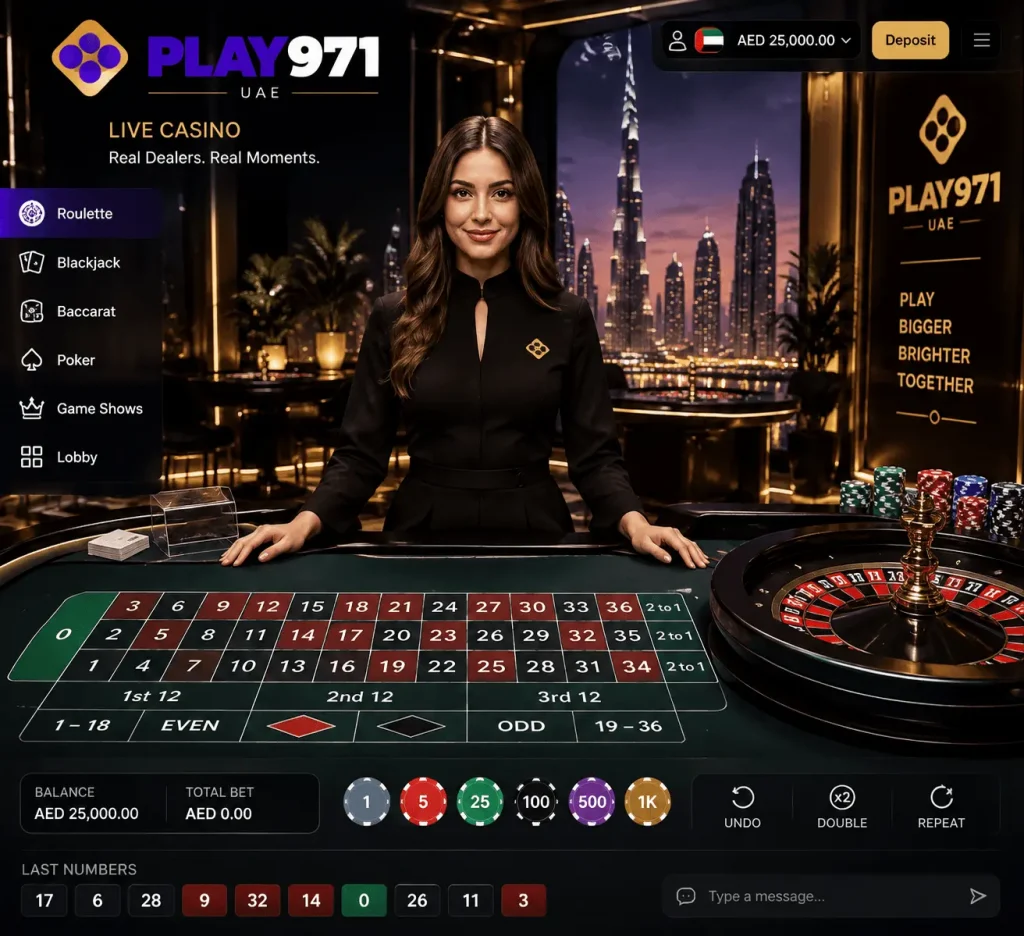
On iPhone the equivalent home is Safari. Pinning Play971 from Safari creates an icon that opens in a standalone window, again with no browser controls in the way. It works on iPad in the same fashion, which gives live tables a much bigger screen if you have one.
Some other browsers on recent iOS versions can also add icons to the home screen, but results vary, so Safari remains the dependable choice. Location permission on iPhone is granted to Safari’s websites as a group, and it’s managed in the privacy area of the Settings app. The iPhone section further down covers what to avoid, including a few tricks that fake app distributors use on iOS.
How to Install Play971 on Mobile
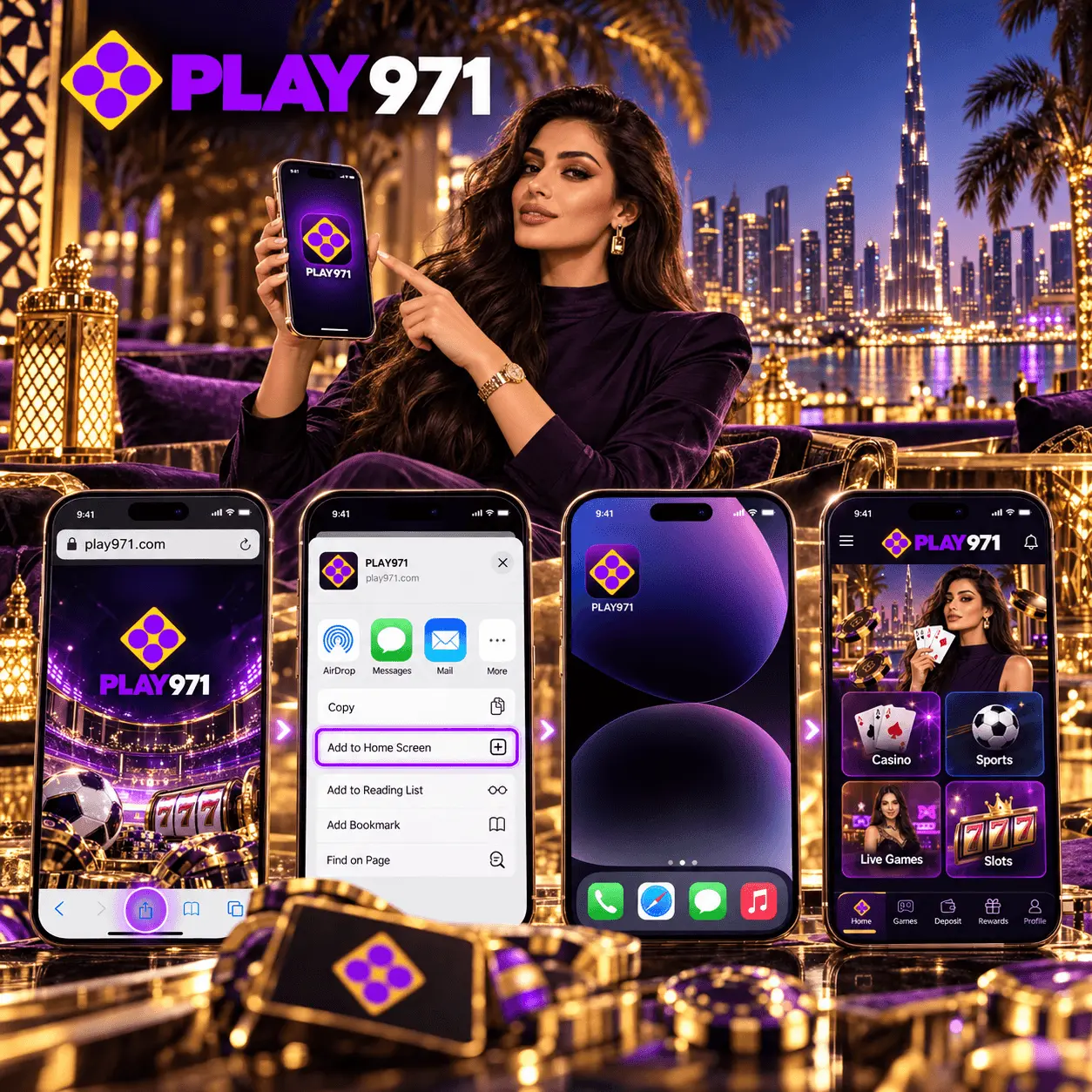
Installing here means pinning. The steps differ slightly by phone, and the table puts them side by side.
| Step | Android with Chrome | iPhone with Safari |
| 1 | Open Chrome and type the official address | Open Safari and type the official address |
| 2 | Sign in and allow location while in use | Sign in and allow location when prompted |
| 3 | Open the menu behind the vertical dots | Press the square with an upward arrow |
| 4 | Pick the entry that installs or pins the page | Scroll the sheet to the entry for your home screen |
| 5 | Name the icon and drop it where you like | Name the icon, then confirm |
On some Android phones and Chrome versions the menu option reads Add to Home screen, on others it reads Install app. Both do the same job here. After the final step, close the browser and open Play971 from the new icon to make sure it launches in its own window. If it opens inside a normal tab instead, remove it and repeat the steps from the correct browser.
That’s the entire process. It takes under a minute, uses almost no storage, and never asks you to change security settings on your phone.
One small tip saves confusion later. Pin Play971 from one browser only. If you create icons from two different browsers, each keeps its own login session and its own location permission, and it’s easy to end up signed in on one and locked out on the other without realising why.
Play971 Login in the App
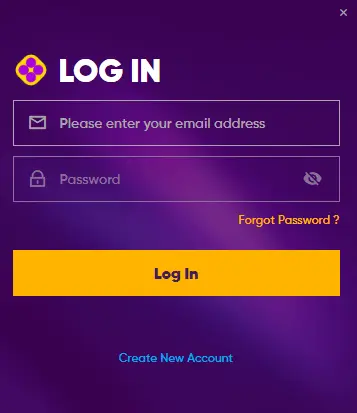
Tap the icon and the sign-in screen wants two things, the inbox or number you registered and your password. A third check follows without asking you anything, a quick confirmation of where the phone is. It happens on every launch. Location switched off? You’ll get a prompt instead of a lobby.
Your phone can make logging in quicker without weakening security. Both Android and iPhone include password managers that can store your Play971 password and fill it in after a fingerprint or Face ID check. That lets you use a long, unique password without having to type it on a small keyboard, which is exactly the kind of password an account holding real money deserves.
Changing phones? There’s nothing to transfer. Your account, balance and history live on the operator’s servers, so on the new handset you simply open the browser, sign in and pin the site again. Delete the old icon and log out on the old phone before you sell or pass it on.
If you forget your password, the recovery link on the login screen sends a reset message to the email or phone number on file. If the login works but the platform refuses to open, the cause is usually the location setting, an identity review that hasn’t finished, or a time-out or self-exclusion you’ve set yourself.
Casino, Sports Betting, Security and Updates
Everything on the full website is available through the icon, with no cut-down mobile edition and no features held back for desktop users. That’s one advantage of the web app approach, since there’s only one product to maintain. The casino lobby brings slots from Endorphina and IGT and dealer tables from Evolution. The sportsbook covers football, cricket, tennis and more, with horse racing in its own section and in-play markets on bigger events. Balances, stakes and payouts are all in dirhams, and one account covers both sides.
Security comes from the platform’s checks, the Emirates ID review and the location lookup, plus your own habits. Updates arrive automatically, because each launch loads the current site from the operator. The only updates you’ll ever install are those for your browser and your phone’s operating system, and keeping both current is the best thing you can do for a smooth experience.
Play971 App Download for Android
Owners of these phones are the ones most likely to be offered an APK, because Android allows apps to be installed from outside the Play Store. So let’s be completely clear about the Play971 app download for Android. There isn’t a file. Any APK carrying the Play971 name comes from someone other than the operator.
Installing it would also require you to switch on a setting that Android keeps off by default, the permission that lets a browser or file manager install unknown apps. That setting exists as a safeguard. Turning it on for a file you found through a search, a forum or a messaging group is the most common way Android phones pick up malicious software, including apps designed to read banking codes from your text messages.
The official route needs none of that. Open Chrome, go to the real Play971 site, sign in and pin it. You’ll end up with an icon that looks and behaves like an app, without granting any risky permissions. Whenever someone types Play971 app download APK into a search bar, this is the answer they deserve, and it’s the one that keeps their account and phone safe.
Pay attention to Google Play Protect, not just your own instincts. If Android ever warns that an app is harmful or asks whether you really want to install a file from an unknown source, that warning is doing its job. Cancel, delete the download and take the browser route instead.
If you’ve already installed something that claimed to be official, uninstall it, run a scan with Google Play Protect, and change your Play971 password from a trusted device.
APK or Browser Access: What to Check
Whenever you’re unsure whether something is genuine, a few checks settle it quickly.
- Ask whether it’s a file or a website. Play971 is only ever a website
- Read the domain in the address bar letter by letter, since look-alikes rely on a single swapped character
- Scroll to the footer and confirm it names Coin Technology Projects LLC and the GCGRA licence
- Notice what permissions are being requested. The genuine site asks for location and nothing else
- If a download starts, cancel it and delete the file

| Question | Genuine Play971 access | Unofficial APK |
| Where does it come from? | The operator’s own website | A download link or shared file |
| What does it install? | Nothing, just an icon | A full application package |
| What does it ask for? | Location, through the browser | Often storage, messages, contacts or accessibility |
| How is it updated? | Automatically, every launch | By downloading more files |
| Who is responsible for it? | A GCGRA-licensed operator | Unknown |
If a page or person insists that a Play971 APK is needed to play, walk away. No genuine part of the platform requires one.
Friends mean well, and that’s often how these files spread. Someone installs a Play971 app download APK from a group chat, it seems to work, and they forward it on. What nobody can see is what the file does in the background. If a friend sends you one, thank them, don’t open it, and send them the official website instead. You’ll both be better off.
Play971 App for iPhone
The App Store has no Play971 app, and it’s not a matter of waiting for approval. The platform is designed to run through Safari, and that’s the official way to use it on an iPhone.
iPhone owners should know about two tricks used to push unofficial casino apps onto iOS. The first is a configuration profile, a file that asks you to go into Settings and approve it. The second is an enterprise or test distribution, where an app is installed outside the App Store and you’re told to trust a developer in the device management settings. Both give the sender far more control over your phone than any casino needs, and neither has anything to do with Play971. If you’re ever asked to approve a profile or trust a developer in order to gamble, stop.
The legitimate route costs about a minute. Safari, the real address, your login, then the share sheet’s home screen entry. In every practical sense, that icon is the iPhone version.
Home Screen Shortcut and PWA Access
The icon you create is often described as a progressive web app, or PWA. The term just means a website built to behave like an app, opening in its own window, remembering your session and adapting to your screen. It’s the same technology many big services use to offer an app experience without a store listing.
For Play971, the PWA approach brings a few concrete benefits:
- Every launch loads the current version, so there’s never an outdated copy on your phone
- It uses a tiny amount of storage compared with a native app
- It can’t access anything on your phone beyond what a website can, which is far less than an installed app
- Removing it is as simple as deleting the icon, with nothing left behind
It’s just as useful to know what a web app can’t do. It doesn’t run in the background once you close it, it can’t read your photos, contacts or messages, and it can’t install anything else on your phone. The only sensitive permission it ever requests is location, and even that is granted to the browser, which you can revoke in seconds.
To add it, visit the official site in Chrome or Safari, sign in, open the browser’s menu or share sheet and choose the home screen option. Give it a name you’ll recognise, and it’s ready.
Play971 Betting App Features
People searching for a Play971 betting app download usually want to know what the sportsbook looks like on a phone. The short answer is that it’s the full book, reorganised for a small screen.
| Feature | How it works on mobile |
| Sports menu | Football, cricket, tennis and more in a swipeable list |
| Racing | Racecards grouped by meeting, with local cards among them |
| Pre-match markets | Available days or hours before the start |
| In-play markets | Updated continuously during bigger events |
| Bet slip | Rises from the lower edge as soon as you pick a price |
| History | Every placed and settled bet, with amounts in AED |
Casino Games in the Play971 App
The casino runs through the icon every bit as smoothly as on a laptop. The lobby’s tabs, including Hot Games, Slots, Megaways, Bonus Buy, Live Games and Original, turn into a strip you swipe across, and a search function takes you straight to any title you know.
Reels are the easy load. Quick-fire Endorphina games such as Joker Stoker or Hell Hot 100 appear almost instantly even on 4G, and IGT’s Cats or Siberian Storm bring a whiff of the land-based floor to the commute home. Tap any title’s panel for its studio, its feature list and the return figure.
Dealer tables are the opposite. Evolution streams them as continuous video, which rewards a solid Wi-Fi link and punishes a weak one, and the battery indicator drops noticeably faster. Roulette minimums range from 5 AED at Triton to 50 AED at Roulette Platinum, and several tables are hosted in Arabic. There’s no demo mode anywhere in the lobby, so every round uses real money from the start.
App Security, Updates and Troubleshooting
Staying safe mostly comes down to where you open the platform and how you guard your login. Always launch from the icon you pinned from the official site, never from a link in a message. Use a unique password stored in your phone’s password manager, and never share a one-time code with anyone.
Losing a phone is the scenario people rarely plan for. If it happens, change your Play971 password straight away from another device, then contact support so they can watch for unusual activity. Because nothing is stored in an app on the lost handset, a changed password closes the door completely.
Updates look after themselves on the platform side. On your side, keep Chrome updated through the Play Store on Android and keep iOS updated in Settings on iPhone, since Safari updates arrive with the operating system.
| Problem | Likely cause | Fix |
| Location check fails | Location off or set to approximate | Enable precise location for the browser |
| The icon launches inside a regular tab | It was made from a different browser | Remove it and create a fresh one from Chrome or Safari |
| Logged out every time | Private browsing or cleared data | Use a normal tab and sign in again |
| Pages look outdated | Old cached data | Clear the browser’s data for the Play971 site only |
| Live tables stutter | Weak connection | Switch to Wi-Fi or move to better signal |
| Location refused while at home | A VPN routing traffic through another country | Turn the VPN off while playing |
Anything that survives those fixes goes to support. A chat agent or the email team will pick it up at any hour, in Arabic or English, and a screenshot of the error speeds things along.
Both phones also carry their own time controls. Screen Time on iPhone can cap how long you spend on a particular website each day, and Digital Wellbeing on Android can set a daily timer for Chrome. Combined with a deposit limit in your Play971 account, they turn good intentions into rules your phone enforces for you.
Access is restricted to adults of 21 or more who are on UAE soil when they play. One-tap convenience cuts both ways, so put a deposit ceiling in place early, and lean on a time-out, self-exclusion or the Takalam counselling service whenever you need distance.