


Play971 App for Android
Google’s mobile system hands you more freedom than any rival, right down to installing software from wherever you like. That’s exactly why this page exists. Play971 doesn’t offer an Android installer, and the official way to get it on your phone involves no file at all. It runs in Chrome and can be pinned to your home screen, where it behaves like an app while staying inside the browser’s protections.
The licence rules travel with you onto any handset. Twenty-one or over, physically in the Emirates with the phone’s location switched on, and an approved Emirates ID. Miss any one and no amount of phone setup will help.
Official Android Access
The only official route onto an Android phone is the Play971 website opened in a browser. No Google Play listing. No operator APK. Chrome is the recommended browser because it’s installed on nearly every Android phone and handles location prompts and home screen icons reliably.
When Chrome pins a site, it creates an icon on your home screen or in the app drawer that opens the site in its own window. Some phones and Chrome versions label this action Install, others Add to Home screen, and on certain sites both appear. For Play971, either one gives you the same result, a one-tap icon with no address bar.
Samsung phones come with Samsung Internet alongside Chrome, and Xiaomi phones often ship with their own browser too. Those can usually open the site, but their menus, permissions and pinning options differ. If something doesn’t behave as expected, switching to Chrome is the fastest fix.
How to Install on Android
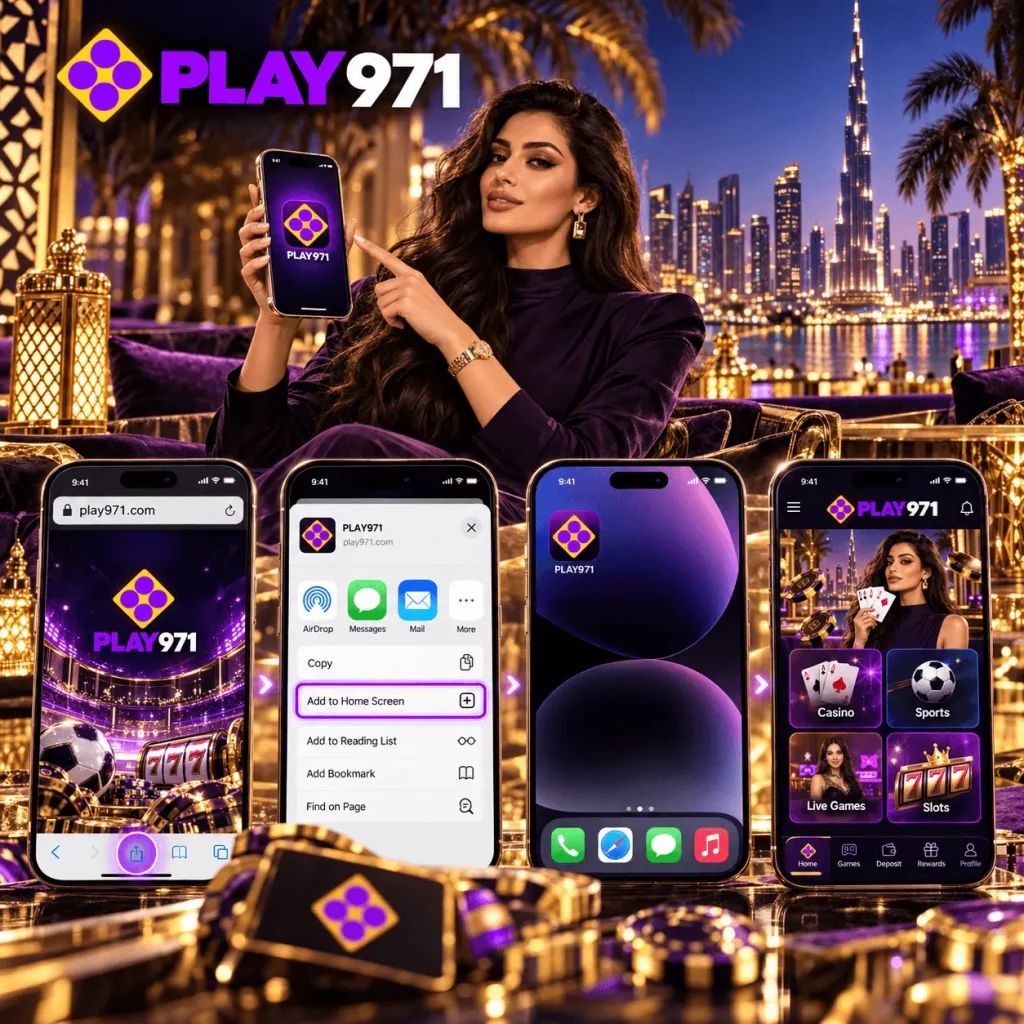
Setting up Play971 on Android takes about a minute.
- Launch Chrome and key in the genuine Play971 address by hand
- Enter your credentials, whichever of email or number you registered
- When Chrome asks for your location, allow it while the app is in use
- Tap the three vertical dots at the top right of Chrome
- Choose Install or Add to Home screen, whichever your version shows
- Rename the icon if you like, then confirm
Afterwards, close Chrome and launch Play971 from the new icon. It should open full screen, without Chrome’s tabs or address bar. If it opens as a normal tab, delete the icon and repeat the steps, making sure you started in Chrome.
You can move the icon into a folder, put it on your main screen or leave it in the app drawer. Position doesn’t matter. It works the same anywhere.
APK, Browser or PWA: Verify First
Android lets you install apps from outside the Play Store, but only after you grant a special permission to the app doing the installing, usually your browser or file manager. You’ll find it under Settings, then Apps, then Special app access, then Install unknown apps. For everyday safety, every entry in that list should be switched off, and Play971 never needs you to change it.
Here’s how the three options compare.
| Option | Official for Play971? | What it needs from your phone |
| APK file from a link | No | The install unknown apps permission, plus whatever the file requests |
| Browser tab | Yes | Location permission for the browser |
| Pinned web app, or PWA | Yes | Location permission for the browser, nothing more |
Two rows are official. Neither costs you a single risky permission.
If you’ve been sent an APK, or downloaded one by mistake, don’t open it. Delete it from your Downloads folder. If you’ve already installed it, uninstall it, then run a check with Google Play Protect by opening the Play Store, tapping your profile picture and choosing Play Protect. Finally, change your Play971 password from a device you trust.
Login and Mobile Features
Logging in from the icon works with your registered email or phone number and your password. The platform then checks your location before opening the account, every time you launch it.
Android’s built-in password manager can save your Play971 login and fill it in after a fingerprint or face unlock. That means you can use a long, unique password without ever typing it, which is a real security gain on a phone.
Once you’re in, the whole platform is available:
- Reels from Endorphina and IGT, with Evolution croupiers a tab away
- Football, cricket, tennis and other sports, including markets that move during play
- Racecards meeting by meeting, local ones among them
- A dirham cashier fed by bank transfer or a card from a UAE bank
- Your own controls for spending caps, breaks and exclusion
Android’s split-screen mode is handy for sports fans. You can keep a match stream in one half of the screen and Play971 in the other, placing in-play bets without switching back and forth. On smaller phones it’s a squeeze, but on larger models and foldables it works well.
Updates and Troubleshooting
The Play971 icon never needs updating, because every launch loads the current site. Three other things do, and together they decide how smoothly it runs:
- Chrome, updated from its Play Store page whenever an Update button shows
- Android itself, through the system update option in Settings, which sits in slightly different places by brand
- Google Play system updates, which deliver security fixes separately from full Android versions
When problems do crop up, they usually have Android-specific fixes.
| Problem | Android fix |
| The location prompt never appears | Tap the icon to the left of the address in Chrome, open Permissions and reset them |
| The site shows an old layout | In Chrome settings, open Site settings, then All sites, find Play971 and clear its data |
| The icon disappeared after a launcher change | Pin the site again from Chrome |
| Chrome can’t reach the site | Check your connection and switch off any VPN |
| Location is refused indoors | Make sure precise location is allowed for Chrome in app permissions |
If none of those work, Play971’s support team is available day and night through live chat and email, in English and Arabic. Mention your phone model and Android version, which helps them find the cause faster.
Only players aged 21 or more, sitting within UAE borders, get through the door. Pair the deposit ceiling in your account with a daily Chrome timer from Digital Wellbeing, and your phone will help you keep evenings short.